One of the little things with the have annoyed me since I’ve started using the RSAT tools in Windows is the fact that there is no easy way to manage Exchange. Sure I can install the Exchange Management Pack and use that, but like most admin’s AD Users and Computers is open just about all the time.
First thing you will want to do is go and download the Exchange System Manager for Windows Vista (located here). Once downloaded, extract the .exe file so that you have an ESMVISTA.MSI file. Now that’s extracted, open up a command prompt window and move to the location that ESMVISTA lives. Type in the following:
ESMVISTA.MSI /Q
 With that command line the message is surpressed and the installation continues without any issues under Windows 7. This will only work for Windows 7 32-Bit and I have not found a way to get it working with 64-bit.
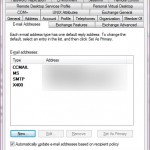
After a few minutes you will be able to open up AD Users and computers, right click and you will have the extra Exchange Tabs (pictured right), making Administration a little easier.
i’ve been an email admin since MS Mail days and this post is music to my eyes and ears, as Microsoft is hard pressed on moving backwards in terms of single tool for full blown email users administration
thank you very much