 Just a short one today. I was assisting in the change from a stand-alone Hyper-V environment to a clustered environment, the customer had an HP EVA P6300 SAN which was going to be used for the Clustered Shared Volumes. As a precaution before beginning work on the EVA, I loaded up SSSU which was installed on one of their servers and took a backup of their current configuration of the EVA. The backup file would come in handy if something were to happen and can assist HP Support in restoring your array if something were to happen.
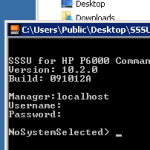
When you load up SSSU it will firstly ask you to login with a user and password with rights to the Storage Array, once in, we need to select a Storage System and then finally issue a configuration backup to the local workstation.
select system
capture configuration filename
Replace filename with something like c:\SAN_backup.txt the backup is a plaintext file telling the Storage Array how it has been configured with LUNs and Hosts.